Milestone Library
 Admin User
A project's milestone library is used for work packages assigned the Earning Rules earned value technique (EVT). The Earning Rules EVT is useful for objectively measuring completed work for longer duration work packages. For this EVT, you define the accomplishment milestones along with the weight, a percentage, for each milestone. The sum of the milestone weights equals 100 percent. When a milestone is completed, the weight is translated to a cumulative to date percent complete for the work package. This is the basis for calculating earned value for the current reporting period.
The milestone library helps to establish a consistent basis to claim earned value for common, repeatable tasks with a defined set of standard accomplishment milestones for those tasks. The content in the milestone library could reflect historical performance data, standards, or other source data useful for setting the standard accomplishment milestones and earning rule criteria.
To establish a project's milestone library:
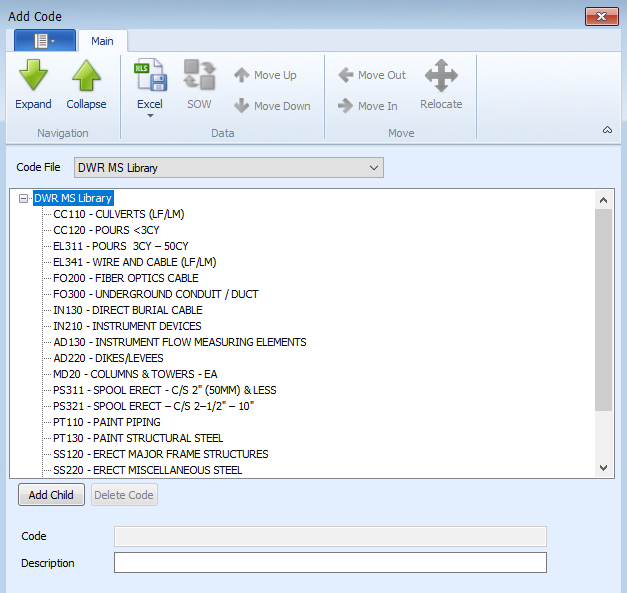
- Create and populate a user defined code structure to identify the named set of earning rules for the different types of tasks. This is a simple list of milestone library codes. See Create a Code Structure. This could be a global code structure or a project unique code structure.
- Assign the user defined code structure at the work breakdown structure (WBS)/control account or work package level. Since the Earning Rules EVT is assigned at the work package level, assigning the user defined code structure at the work package level is often the best option. See Add Project User Fields.
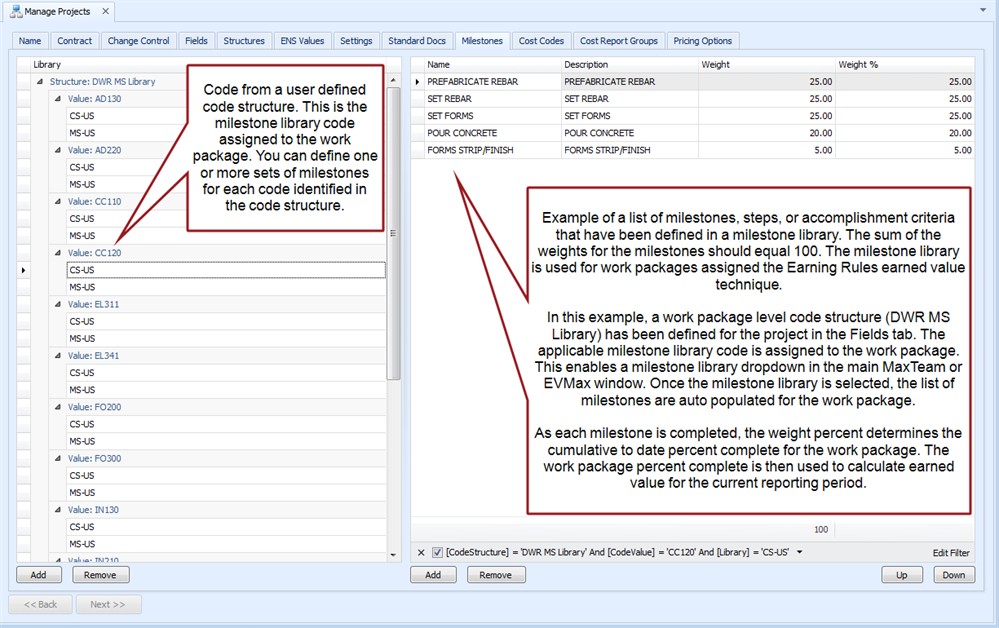
- For each named earning rule or library code in the code structure, define the list of milestones or steps and weights. See Create a Milestone Library.
When you assign the Earning Rules EVT to a work package in EVMax, you have two options for identifying the set of milestones in the main EVMax window (Work Package Status EVT tab). You can:
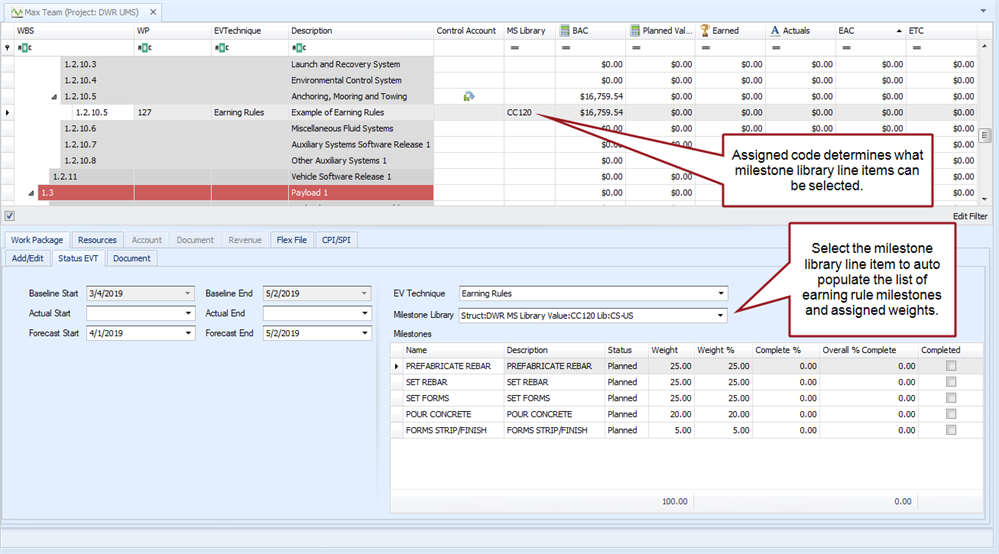
- Select a set of standard milestones from the project's milestone library for the work package. This auto populates the set of milestones and assigned weights. See Select Milestones from Library.
- Define the unique set of milestones that apply just for that work package. See Define Earning Rule Milestones.
 Implementation Tips
- As an option, you could create a global milestone library code structure all projects share. This helps to establish a common naming convention for the milestone library codes.
- If you create and maintain a template project with a global milestone library code structure, create a base milestone library for that project. Export the set of milestones to an Excel file to create a milestone library template for other users. That way they can import the set of milestones to quickly create a milestone library for their project provided they have also defined the related milestone library code structure.
Milestone Library
Example Simple Code Structure for a Milestone Library
Manage Projects, Milestones tab
Work Package Status EVT Tab, Earning Rules EVT, Milestone Library